Configure the Queue
For OUTBOUND live-voice campaigns, queues are used to hold calls waiting to be routed to an agent. As OUTBOUND retrieves each record from the table view, it places a call to the contact. When the contact answers, the call is placed in the queue being used by the campaign. The intention is that, as soon as the contact answers the call, an agent is on the line to speak to them.
Queues are set up using storm Contact > Queues > Add Queue menu option.
When setting up a queue for an OUTBOUND campaign, check the Queue for Outbound Service field.
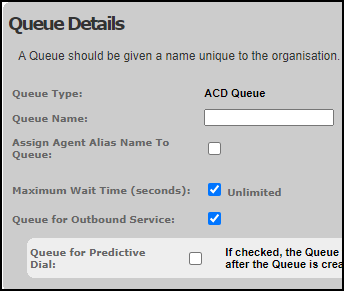
Depending on how your organisation is configured, this field may instead be labelled Queue for Predictive Dial. Once you set this option you will not be able to edit it; and matching rules set up against the queue will need to use agent groups where the matching setting (either Agent Group for Outbound Service or Agent Group for Predictive Queue) has been selected.
The Maximum Wait Time (seconds) setting is used to define an overall timeout period for OUTBOUND calls waiting in this queue. This is the time between the call being answered by the contact and it being connected to an agent. Once this timeout is met, calls are routed to the call failure route defined in FLOW.
Note: for OUTBOUND queues the maximum wait time can be used to ensure that the call will never queue for longer than a pre-defined number of seconds set by industry regulations. In the UK, the Ofcom regulations covering dialler calls require that calls must be routed to an agent or played a voice message within two seconds of the contact picking up.
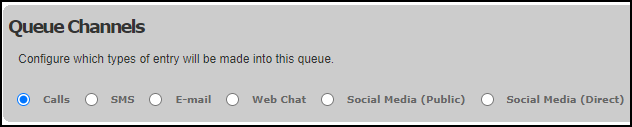
In the Queue Channels panel select 'Calls'.
Use the Queue Settings panel to define the wrap settings that will be applied to agents handling calls routed via this queue.
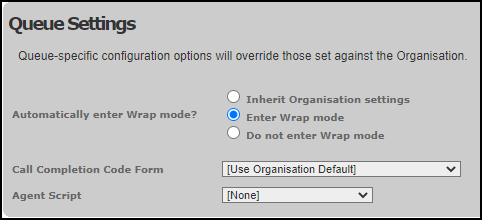
Use the Call Completion Code Form field to select the completion code form to be used for calls routed using this queue, and the Agent Script field to select the DTA script to be used to present call information to agents handling those calls.