Create the Queue Treatment
Once a queue has been created, it must be incorporated into a treatment, which is referenced in the FLOW script underlying the OUTBOUND campaign.
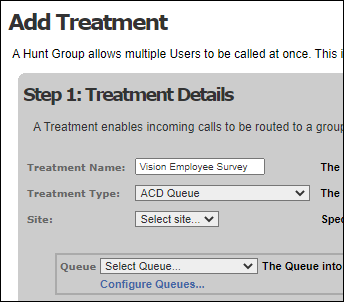
In UC, select the Routing > Treatments > Add Treatment menu option. Select 'ACD Queue' in the Treatment Type field.
Using the Queue field, select the queue to be used in the OUTBOUND campaign.
See the UC and CONTACT Configuration Guide for information on what each of the additional settings in this screen control.