Assign Agent Groups to a Supervisor
The Supervisor Agent Groups screen is used to assign agent groups to a supervisor, giving the supervisor the right to monitor their activity, assist on calls, and add or remove agents from the assigned groups.
Select the storm Contact > Agent Groups > Supervisor Agent Groups menu option, then select the supervisor.
The system lists all the agent groups set up on your system.
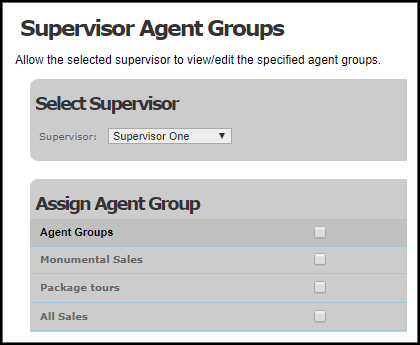
The check box next to each indicates whether the selected user has supervisor rights over each agent group (the check box is selected if this is the case) or not.
Select or clear the check box for each agent group the supervisor is allowed to control. Click the Update Changes button to save your settings.
Note: at run-time, administrators are able to make changes to which teams are assigned to specific contact centre supervisors using DTA's Assign Supervisor screen. See the DTA User Guide.