Configure Agents
Users are set up in UC, as described in the UC and CONTACT Configuration Guide. To configure a user to be a dialler agent, select the Users > Add User menu option, or Users > Edit User if the user already exists.
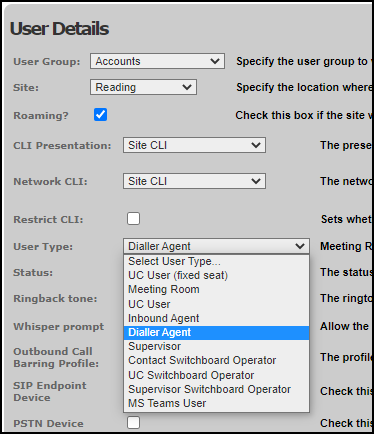
When setting up users, if they are to be employed as contact centre agents for OUTBOUND campaigns, in the User Details panel set the User Type field to 'Dialler Agent' or 'Supervisor'.
Once a user has been set up as an agent in this way, you can perform additional configuration relating to the way they will work, including assigning them to agent groups.
Use the storm Contact > Agents > Edit Agent menu option to configure agent settings, as described in the UC and CONTACT Configuration Guide.
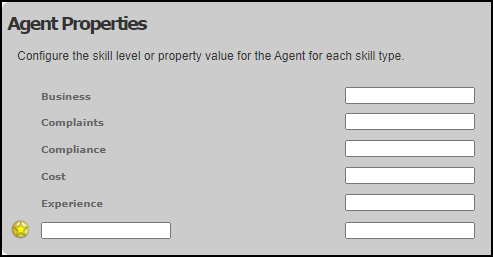
The Agent Properties panel allows you to define what specific skills each agent has (for example, what languages they speak and their level of expertise) for use in matching rules.