Create an Outbound Agent Group
Agent groups are set up using the storm Contact > Agent Groups > Add Agent Group menu option.
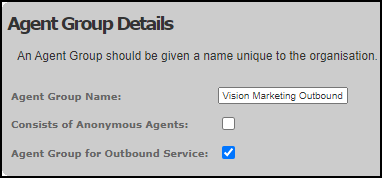
Note: Content Guru recommends that agents who are assigned to an agent group with this option selected are not assigned to any other agent group.